ChargePoint
- 3.9
- Rating
- 1.00M
- Installs
- Free
- Price

 Analysis by App-foxy
Finding a public charger is easy in theory, but the stressful part usually begins when I am already low on battery, parked somewhere unfamiliar, and trying to work out whether a station is available, compatible, or actually ready to start a session. That is where ChargePoint earns its place on my phone. Developed by ChargePoint, Inc., this free Maps & Navigation app is built around locating EV charging stations and helping drivers make better decisions before they commit to a detour.
My overall impression is practical rather than flashy. It is most useful when I treat it as a planning and verification tool, not as a guarantee that every charger will be available the moment I arrive. The difference matters. A map pin can tell me where a station is, but a successful charging stop also depends on the vehicle, connector, site, access conditions, and the physical equipment. The app helps me reduce uncertainty, although it cannot remove every part of the charging experience that happens outside the screen.
Where the real friction starts
The first point where users can get stuck is assuming that the nearest result is automatically the best one. On a normal map, distance feels decisive. For an EV driver, it is only one part of the choice. A slightly farther station may fit the route better, be easier to enter, or avoid sending me into a busy area where turning around is awkward. I found that the map is more valuable when I compare several nearby options instead of tapping the first marker I see.
You May Also Like

 Blood Strike: 2.5 Anniversary
Blood Strike’s Loadouts Turn Every Drop Into a Tactical Gamble
A close look at Blood Strike’s custom loadouts: how fast access to signature weapons reshapes its battle royale rhythm, rewards preparation, and narrows the gap between fights.

 Pandora - Music & Podcasts
Pandora’s Music Is Easy to Start, but Harder to Recover
Pandora’s strength is its low-effort path from a seed to a station. Its weak spot is how much confidence it asks you to place in connection, setup, and quiet recovery.

 8 Ball Pool
 Is Built on Rivalries, Rematches, and Routine
A close look at the rivalries, rematches, shared routines, and unanswered safety questions that turn a quick pool match into a persistent mobile community.

 Samsung Music
’s Quiet Strength Is Playing What You Already Own
Its reach comes less from spectacle than from dependable access to a personal library. That simplicity is both the app’s strongest retention engine and its ceiling.

 AccuWeather: Weather Radar
AccuWeather Review: A Quick, Clear Forecast for Everyday Decisions
For everyday plans, the best forecast is the one you can understand quickly. AccuWeather makes rain timing, radar, and local conditions easy to act on, with a few trade-offs.

 Hill Climb Racing
Why Hill Climb Racing Still Turns Crashes Into One More Run
A tiny car, a bumpy hill and one more upgrade: Hill Climb Racing keeps resurfacing because its simple chaos makes every near-miss feel personal.
More From Our News Desk



That habit is especially important on unfamiliar trips. A station may appear close as the crow flies while being inconvenient from the road I am using. A divided highway, a restricted entrance, or a parking area with a separate access point can turn a short-looking detour into a frustrating one. I now check the surrounding streets and the destination’s physical setting before leaving my current route. That simple pause prevents a common mistake: navigating to the right place but approaching it from the wrong side.
Another source of confusion is the difference between seeing a station and being ready to charge there. A listing can help me identify a location, but I still need to confirm that the equipment suits my vehicle and that the site makes sense for my stop. I do not rely on a single glance at the map. I open the station details, read what is shown there, and compare the information with my car’s charging requirements and the purpose of the visit.
The most useful mindset is to treat every station as a real-world destination, not just a colored icon. That means checking the route, the vehicle fit, and the likely timing before I pull out. It also means keeping a second nearby option in mind when the battery margin is small. The app can make that backup search quicker, but the driver still needs to make the final judgment.
Why a station can look available but still cause trouble
Availability information is helpful, yet it should not be interpreted as a promise. A charger can become occupied between the time I check the screen and the time I reach the location. A vehicle may also be parked in a way that makes access difficult, or the station may be situated in a car park with opening arrangements that are not obvious from the map. I therefore avoid planning a tight arrival with no reserve, particularly when the next alternative is far away.
This is one of the app’s practical limitations. It can organize information, but it cannot control other drivers, traffic, construction, parking enforcement, or equipment condition. If I am making a long journey, I prefer to identify a primary stop and a fallback stop before starting. That workflow is more reliable than repeatedly searching only after the first plan has failed.
Setup checks that prevent avoidable mistakes
Before depending on the app during a trip, I recommend opening it while the car is safely parked and becoming familiar with the search screen. I want to know how to find a station, inspect its details, and begin navigation without experimenting at the roadside. This is not exciting preparation, but it reduces the chance of making a rushed decision with a low battery.
I also check that the vehicle information I am using in my planning matches the car I am actually driving. Connector compatibility is not a detail I leave until arrival. If the app presents station information that helps me narrow the search, I use it alongside the vehicle’s own specifications rather than assuming that every nearby point will work for me.
Location and navigation behavior deserve a quick check as well. If the map cannot place me accurately, or if the route handoff does not behave as expected, I would rather discover that before I need a charger urgently. A short test while stationary can reveal whether the phone is struggling with reception, whether the map is centered on the wrong place, or whether I need to use another navigation method for the final approach.
Account and session preparation can also make a difference. I prefer to sign in and review the available charging workflow before I arrive, rather than trying to create an account, interpret a station screen, and connect a cable at the same time. I do not view this as a reason to avoid the app; it is simply the same preparation I would use for any tool that I may need under pressure.
- Search for the intended destination while parked, not while driving.
- Compare the station location with the road approach and parking layout.
- Check that the charging equipment matches the vehicle before committing to the detour.
- Choose a fallback station when the battery reserve or travel distance is tight.
- Keep the phone charged enough to complete the search and navigation handoff.
That last point sounds obvious, but it is easy to forget that a navigation app is only useful while the phone remains usable. I avoid starting a trip with a nearly empty phone battery, especially when the route depends on public charging. A charger may solve the car’s energy problem while leaving the phone unavailable for the next part of the journey if I have not planned properly.
Getting from the map to the actual charger
The final approach is where a good search can still become a poor experience. When I arrive at a large retail area, office complex, or shared car park, I slow down and look for the station rather than assuming the first entrance is correct. The map may lead me to the property, but the charger can be deeper inside the site. I use visible signs, lane markings, and the station’s position relative to buildings to finish the search.
I also pay attention to whether the destination is somewhere I can reasonably stop. A charger inside a restricted or awkwardly managed area may be technically close but practically unsuitable for my schedule. If I only need a short top-up, access time and walking distance can matter almost as much as the charging location itself. This is a useful distinction between map convenience and trip convenience.
Recovering when the normal workflow breaks
When a session does not begin as expected, I try not to repeat the same tap several times without checking the basics. First, I confirm that I am at the intended station and that the cable is connected correctly for the vehicle. Then I look at the station itself for signs, instructions, or visible status indicators. This physical check often tells me more than staring at the map.
If the app seems slow or does not reflect what I can see at the site, I treat that as a possible connection or refresh problem rather than immediately concluding that the charger is unusable. I move to a place with better reception if it is safe to do so, wait briefly, and reopen the relevant station information. I avoid making repeated changes while the car is connected, because confusion about which station or connector I selected can make troubleshooting harder.
A useful recovery habit is to record the exact station I am dealing with before changing screens. I note its name or location in my head, check the visible identifier on the equipment, and make sure the app is showing the same place. This matters in busy charging areas where several stations are grouped together. Selecting a nearby but different marker can create the impression that the app is failing when the real issue is simply a mismatch between the map selection and the physical unit.
If the intended stop is occupied, inaccessible, or unsuitable, I switch to the backup plan instead of spending too long trying to force the original plan to work. This is where the app’s search function becomes more valuable than its individual station page. I search around the route or destination again, compare the alternatives, and choose the option that leaves the safest margin. A recovery workflow should be decisive: verify, refresh if appropriate, then move on.
When refreshing helps and when it does not
Refreshing can help when the displayed information appears stale or when the phone has briefly lost connectivity. It cannot make a busy charger free, repair damaged hardware, or change the connector on my vehicle. I use it to update the information I am seeing, not as a cure for every charging problem.
I also avoid troubleshooting while driving. If I need to search for another station, I pull over safely or let a passenger handle the phone. This app belongs in the navigation category, but that does not make active screen use behind the wheel safe. The best workflow is to prepare the next decision before moving again.
When the app and the station disagree, I give priority to direct physical evidence for immediate safety and access decisions. If the equipment shows an error, the cable is damaged, or the area is blocked, I do not continue simply because the map looks normal. Conversely, if the station is visibly ready but the app is not responding, I look for the site’s own instructions and use the safest available route to resolve the issue.
Separating app problems from charger problems
It is tempting to blame the app whenever charging does not start, but several different systems are involved. The phone may have a connection issue. The selected station may be wrong. The vehicle may not accept the connector. The charging unit may be occupied or out of service. The site may also have practical access restrictions. Identifying which layer is failing saves time.
I use a simple sequence. I confirm the location, check the connector and cable, inspect the station’s visible status, and then look at the app again. If the same problem remains after those checks, I try the nearby alternative rather than repeatedly restarting the same attempt. This is particularly important when I am traveling with little battery reserve. A perfect diagnosis is less useful than reaching a workable charger in time.
There are situations where another tool is better. The car’s built-in navigation may be preferable for route guidance because it is integrated with the vehicle. A general map can be useful for checking entrances, traffic, and the surrounding streets. The station’s own physical instructions can be more relevant for immediate on-site action. I see ChargePoint as the specialist layer that helps me find and evaluate charging stops, while these other tools fill in the gaps.
That combination is stronger than expecting one app to handle every part of the journey. I may use ChargePoint to identify a suitable station, the vehicle system to manage the route, and the physical signs at the destination to find the exact bay. The trade-off is having to switch between sources, but the benefit is a more realistic picture of the stop.
Who will benefit most from it
The app is a strong fit for EV drivers who regularly use public charging and want a focused way to search for stations. It is also useful for newer EV owners who are still learning how charging locations fit into everyday travel. Instead of waiting until the battery is low, I can use it during trip planning to understand where a stop might fit and what I should verify before leaving.
It is particularly helpful for people whose routines change from day to day. A driver visiting different workplaces, shopping areas, or towns may not have one familiar charger to rely on. The app gives that person a repeatable search process: look ahead, compare locations, inspect the details, and keep an alternative in mind.
I would be more cautious recommending it as the only tool for someone who almost never uses public charging, has a very predictable home-charging routine, or expects an app to guarantee an available connector. Those users may find the setup and checking process unnecessary. It is also not the right answer for a driver who needs detailed vehicle-integrated route planning above all else; the car’s own system may be more convenient for that particular job.
An everyday scenario that shows its value
Imagine leaving work for a weekend visit with less charge than expected. I open the app before pulling out, search near the route, and compare a station close to the main road with another one near the destination. The first appears convenient, but the second gives me more flexibility if traffic changes. I inspect the location, confirm that it suits the vehicle, and keep the first option as a fallback rather than committing blindly.
When I reach the chosen area, I follow the road approach instead of relying only on the final map pin. If the station is occupied or difficult to access, I do not waste the remaining battery circling the car park. I return to the app while safely stopped, select the backup, and continue. The value here is not magic automation. It is the reduction of small decisions at exactly the moment when a driver has the least patience for surprises.
What the audience and price say about the app
ChargePoint has been available since June 23, 2011, and its reach is reflected in more than a million installs. It holds a 4.3 average from roughly 53 thousand ratings, with about 7.1 thousand written reviews. Those figures suggest an established app with a substantial user base, although popularity does not remove the need to judge each station and trip individually.
The app is free, which makes trying it low-risk for an EV driver who wants a dedicated charging search tool. Its Everyone content rating also makes it broadly suitable from an age-classification perspective. I would still focus less on the rating and more on whether the workflow matches my driving habits: frequent public charging, advance planning, and willingness to verify conditions rather than trust a single map result.
The developer, ChargePoint, Inc., gives the product a clear connection to the charging space, but I still judge the experience by what happens on the road. A recognizable specialist is useful, yet the practical test is whether I can find a suitable stop, understand the location, and recover quickly when the first plan changes.
My practical verdict
I recommend ChargePoint to EV drivers who want a straightforward way to find public charging stations and make better-informed stops. Its greatest strength is not simply showing locations; it encourages a more disciplined charging routine when I use it properly. I search before the battery becomes critical, inspect the destination, verify vehicle fit, and prepare a fallback. That approach turns the app from a last-minute rescue tool into part of normal trip planning.
The main limitation is that the app cannot guarantee the complete real-world experience. A map result does not control availability, access, equipment condition, traffic, or the behavior of other drivers. Users who expect one tap to solve every charging problem may be disappointed. I also think drivers should pair it with the car’s navigation and the station’s physical instructions when those sources are better suited to the immediate task.
After using it as a practical companion rather than an all-knowing authority, I find the free app worth keeping installed. It is most valuable when I have a plan, a backup, and enough battery margin to make a sensible choice. If that sounds like the way you already approach EV travel, ChargePoint is a useful addition to your routine. If you rarely charge away from home or need fully integrated vehicle route management, your car’s built-in tools may be enough. For everyone in between, this app offers a convenient starting point, provided you remember that the final charger is always a physical place with physical constraints.
FAQs for ChargePoint
01What is ChargePoint and how does it work?
ChargePoint is a network of electric vehicle (EV) charging stations, available through a mobile app. Users can find nearby stations, start charging sessions, and monitor charging progress. The app provides real-time data on station availability and pricing, making it convenient for EV owners to charge their vehicles on the go.
02Are there any costs associated with using ChargePoint?
While the ChargePoint app itself is free to download, charging costs vary. Some stations offer free charging, while others may charge a fee based on time or energy used. Users can view pricing details within the app before starting a session. Additionally, some locations may require a ChargePoint membership for access.
03Is ChargePoint compatible with all electric vehicles?
ChargePoint supports most electric vehicles on the market. The stations typically offer Level 2 charging, which is compatible with the majority of EVs. Some locations may also provide DC fast charging options. It's recommended to check the app for specific connector types available at each station.
04How do I find a ChargePoint station near me?
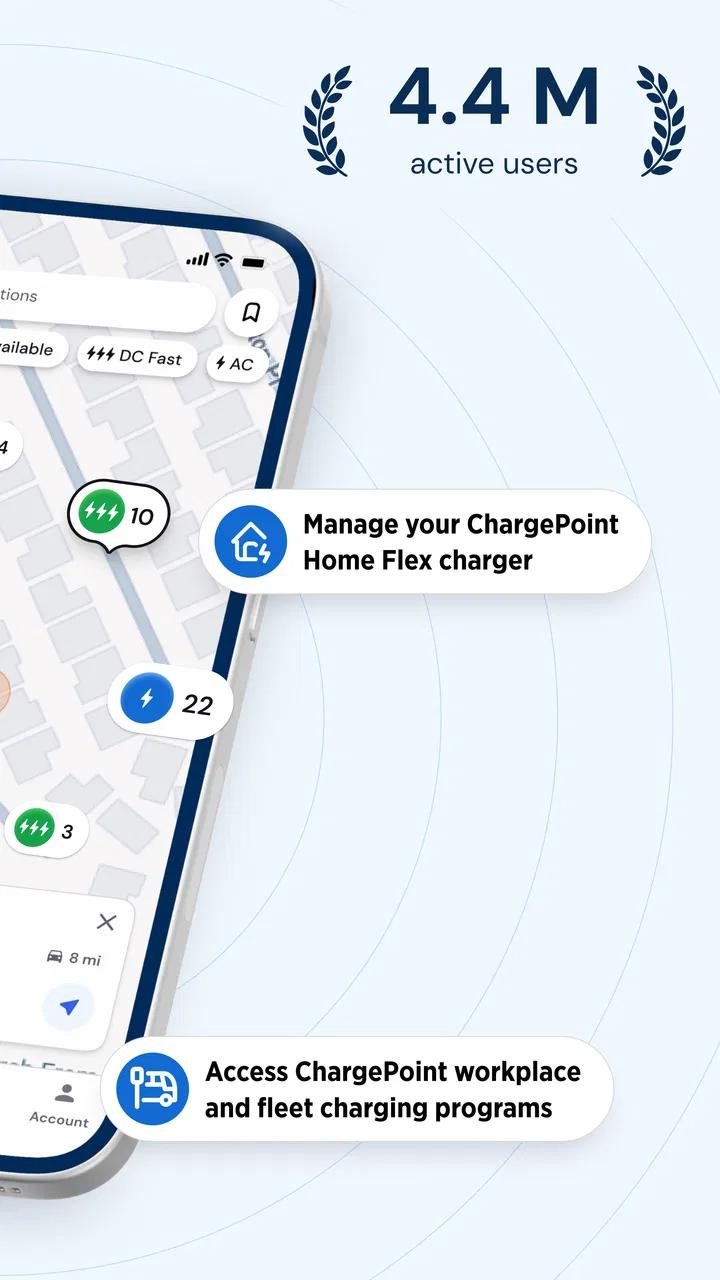
The ChargePoint app makes it easy to locate nearby stations. Simply open the app and use the map feature to view available stations in your area. Filters can help narrow down options based on factors like charging speed, availability, and pricing. The app also provides directions to selected stations.
05What should I do if I encounter issues with a ChargePoint station?
If you experience problems with a ChargePoint station, such as connection issues or payment errors, you can report the issue directly through the app. Additionally, ChargePoint offers customer support via phone or email, providing assistance to resolve any technical difficulties or account concerns.
Pros
- User-friendly interface for easy navigation.
- Wide network of charging stations available.
- Real-time updates on station availability.
- Integrated payment system for convenience.
- Customizable notifications for charging status.
Cons
- Occasional connectivity issues reported.
- Some stations may have higher fees.
- Limited support in rural areas.
- App may drain battery quickly.
- Inconsistent customer service responses.

ChargePoint
Gallery